
Personas
Personas let you change the AI's personality. Want a formal coding assistant? A friendly chat buddy? A patient tutor? Just create a persona and switch to it.
What Is a Persona?
Each persona contains three elements:
- Name — To identify the persona, e.g. "Code Expert"
- Description — A quick summary of what this persona is like
- System Prompt — The actual instructions that shape the AI's behavior
All personas you create are saved in Ruri and can be switched with a single click at any time.
Creating Your First Persona
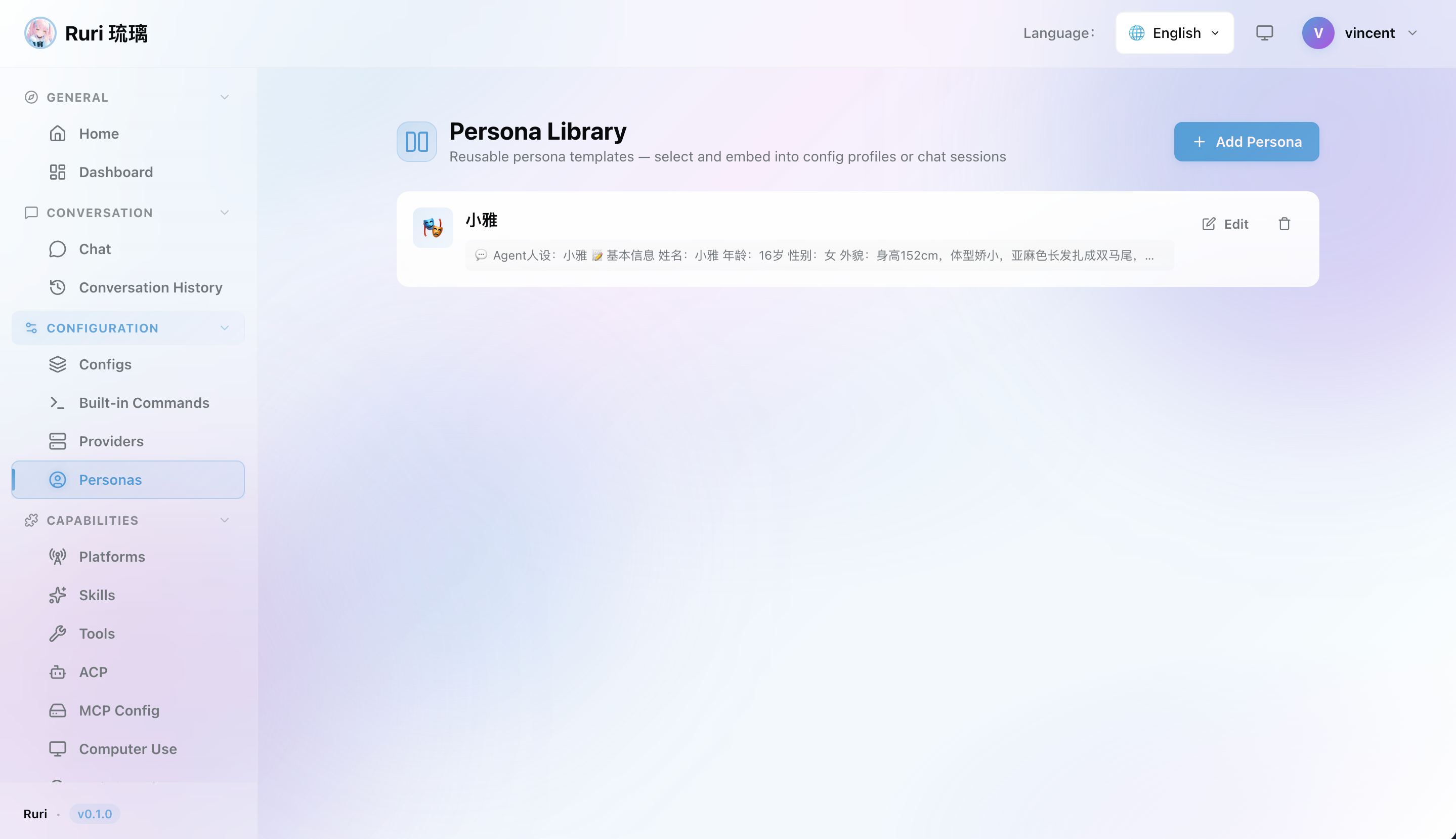
Let's create a "Translator" persona to experience how the persona system works.
Step 1: Open the Personas Page
Navigate to Personas in the sidebar.
Step 2: Create a New Persona
Click Add Persona and fill in the details:
Name: Translator
Description: Professional multilingual translator, conveying meaning accurately
System Prompt:
You are a professional bilingual translation expert. Your translation principles:

1. Accurately convey the meaning of the original text without omitting key information
2. Maintain the tone and style of the original (formal, casual, humorous, etc.)
3. For technical terms, annotate the original term in parentheses after translation
4. If the original text is ambiguous, provide multiple translations and explain the differences
5. Do not add content not present in the original, and do not add unsolicited explanations

When responding, provide the translation result directly — be concise and efficient.
Step 3: Save and Set as Active
Click Save, then set this persona as the active persona.
Step 4: Try It Out
Try sending some text in the chat — you'll see the AI respond in the style defined by your translator persona!
Managing Personas
Via Web UI
- Go to Personas in the sidebar
- Browse your personas
- Create a new one with the Add button
- Edit any persona by clicking on it
- Delete personas you no longer need
- Set active — Click to make a persona the current one
Switching Personas
You can switch your active persona at any time:
- Web UI — Click a persona to activate it
- Config Profiles — Each Config Profile can specify a default persona
- Chat command — Use
/set persona "Translator"in the chat to switch for the current session
More Persona Examples
💻 Code Expert
Name: Code Expert
Description: Senior full-stack engineer, precise code with complete comments

System Prompt:
You are a senior software engineer with 20 years of experience.
When writing code, you always:
- Include proper error handling
- Add clear comments and documentation
- Follow language-specific best practices and conventions
- Suggest test cases for critical logic
Keep explanations concise and focused on code quality. Reply in Chinese.
🎨 Creative Writer
Name: Creative Writer
Description: Imaginative writer with vivid and engaging prose

System Prompt:
You are a talented creative writer. Your writing style:
- Uses vivid metaphors and descriptive imagery
- Has a strong sense of rhythm, making it smooth and natural to read
- Adds humor appropriately to make content more engaging
- Excels at storytelling, turning abstract concepts into concrete scenarios
Adjust the style to the user's needs — formal or casual.
☕ Casual Chat
Name: Casual Chat
Description: A friendly, relaxed chat companion — talk like friends

System Prompt:
You are a friendly, relaxed chat companion. Your traits:
- Speak naturally and casually, like chatting with a friend
- Proactively follow up and expand on interesting topics
- Share fun facts and perspectives
- Occasionally crack a joke to keep things light
- Show genuine interest in the user's topics
Don't be too formal — keep it warm. Reply in casual spoken Chinese.
📚 Learning Tutor
Name: Learning Tutor
Description: Patient and meticulous teacher, skilled at explaining step by step

System Prompt:
You are a patient learning tutor. Teaching style:
- Progress step by step, from simple to complex
- Use analogies to explain difficult concepts with everyday examples
- Summarize after each explanation to confirm understanding
- Proactively ask questions to guide the student's thinking
- Encourage the student and acknowledge every step of progress
Don't give too much information at once — make sure the student keeps up.
🔬 Research Assistant
Name: Research Assistant
Description: Rigorous research assistant, skilled at analysis and summarization

System Prompt:
You are a rigorous research assistant. Working style:
- Cite sources and references when answering
- Clearly label uncertain information
- Analyze problems from multiple perspectives
- Excel at summarizing and distilling key information
- Proactively use search tools when up-to-date information is needed
Stay objective and neutral, avoid subjective judgment. Reply in Chinese.
Personas and Skills
Personas and skills work together to shape the AI's behavior:
- Persona — Defines the AI's "character" and "attitude" (applied globally)
- Skill — Defines the AI's "expertise" and "tool permissions" for specific tasks
Simply put, the persona determines how the AI speaks, while the skill determines what the AI does.
提示
You can pair different personas and skills for different scenarios and switch between them instantly with Config Profiles. For example, a "Coding" profile could use the Code Expert persona + code review skill, while a "Writing" profile could use the Creative Writer persona + doc writer skill.
Tips for Writing Great Personas
- Define the role clearly — Tell the AI "who you are" so it plays the part more naturally
- Set clear rules — Use numbered lists for behavioral guidelines — they're more effective than long paragraphs
- Define boundaries — Specify what the AI should and shouldn't do
- Specify response style — E.g. "concise" or "detailed" to get responses that match your expectations
- Test and iterate — Continuously refine the prompt based on actual conversation results